How to get a review link that directs right to your google review page
Having your Google review link is the first step to collecting positive reviews, which can significantly boost your business. Positive reviews not only build customer trust but also improve your SEO rankings, helping your business appear in search results when customers look for similar services.
However, finding your Google review link isn’t as straightforward as it seems. Google does not provide a direct way for the public to share your review link, so simply searching for it won’t work. You need admin access to your Google Business Profile to retrieve the link.
If you don’t have an account, you must create one and complete Google’s verification process.
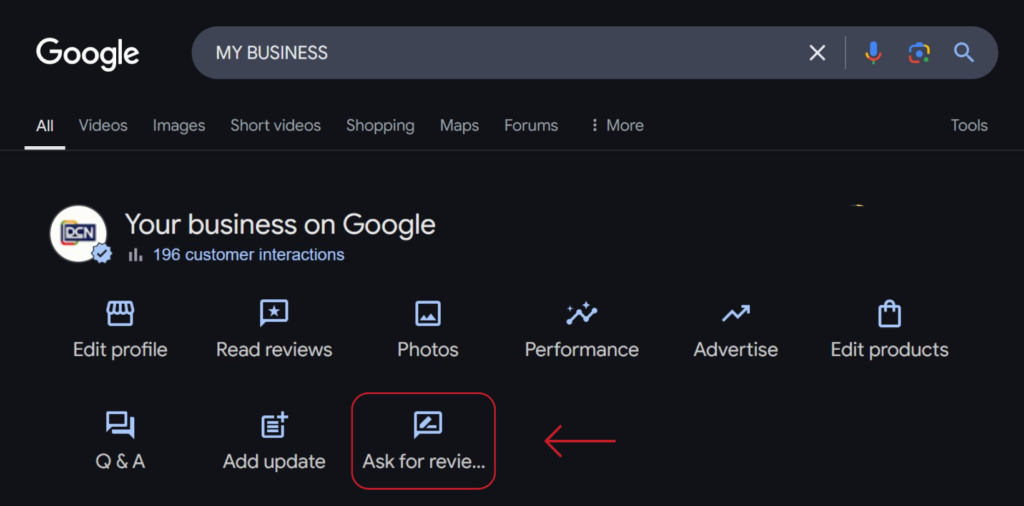
Once logged in, search for “My Business” on Google.
A menu with icons or settings will appear. Click the “Ask for reviews” icon.
If you don’t see it right away, click the dropdown arrow to expand the menu (this may depend on your screen size).
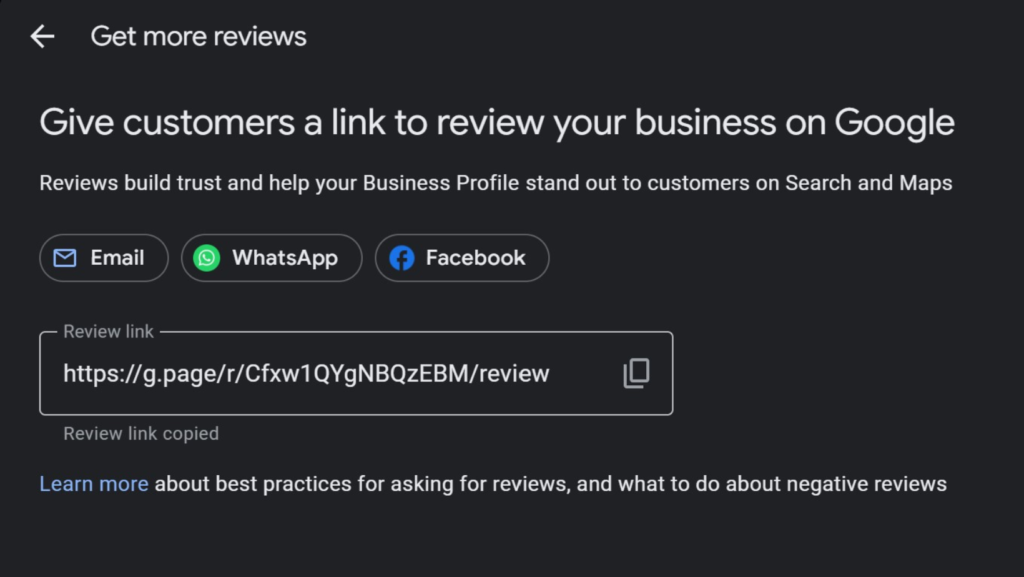
This will generate a shareable link that you can send to customers, making it easier for them to leave a review.
4. Copy the link, which typically looks like this: https://g.page/r/Cfxw1QYgNBQzEBM/review. Make sure to paste only the https:// link without any additional text, such as “Please leave us a review xyz.” Only include the link and everything after it.
Yelp, TrustPilot, TripAdvisor Review links
Review sites like Yelp, TrustPilot, and TripAdvisor are becoming increasingly important for building your online reputation. Google has started giving more visibility to Yelp reviews, and platforms like TrustPilot and TripAdvisor are also growing in influence. To stay ahead, it’s best to establish your presence on all of them.
How to Get Your Direct Review Link:
Search for Your Business
Go to Yelp, TrustPilot, or TripAdvisor and search for your business.
If you don’t have a profile, create one and complete any necessary verification.
Find the Review Link
Once on your business page, look for the “Write a Review” or “Leave a Review” button.
Click it, and copy the URL from the address bar.
Share Your Review Link
Use this direct link to encourage customers to leave reviews easily.
This ensures your business builds credibility across multiple platforms, improving your online reputation and visibility.